First Crawl Completion Webhook
TPA Stream also offers a webhook that posts details about the first crawl of a policy holder to a customer-provided URL.
Trigger
The first crawl completion webhook fires once all the claims for a policy holder's first crawl have been processed.
- If the first crawl succeeds, that is the last firing for that policy holder.
- If it fails, the webhook fires again after the next crawl attempt, and so on, until a crawl succeeds.
For example: if the first two crawls fail and the next two succeed, three POSTs are made — two failures and a third final success.
If you create a new member and associate it with an existing carrier login, the webhook will not fire if that carrier login has already had a successful first crawl. The member is new, but the underlying carrier login (policy holder) is reused.
Configuring the URL
To edit the URL, open Account Settings on the settings page, just like the Claim Webhook URL.
Replaying a crawl completion post
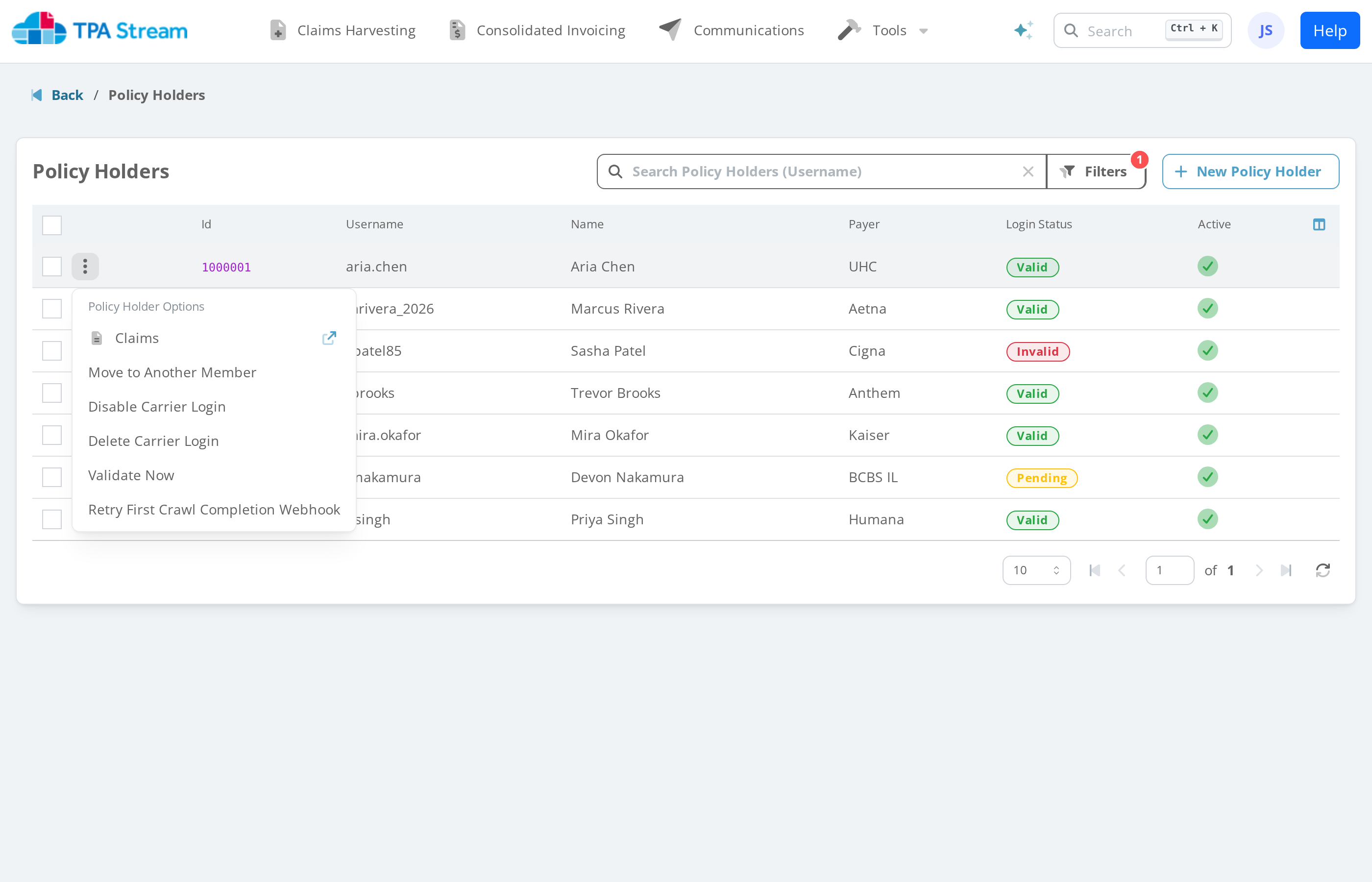
To manually replay a first-completion webhook post, open the Policy Holders page, find the policy holder, and pick Retry First Crawl Completion Webhook from the row action menu. If the option isn't shown, verify that the feature is enabled and a URL is set.
The replay is useful for testing. If a crawl for that policy holder
has not happened yet, the replay returns a failure. Note: replayed
posts do not carry crawl_claim_ids and are not retried on
failure.
Request shape
POST with Content-Type: application/json. See
Webhook Examples for the
full payload shape.